Usage
Try KAI in 5 minutes with a free Figma design — no ticket needed. Or jump to the full story-to-PR workflow.
Figma to Prototype in 5 Minutes
Use a free Figma community file to see the full design-to-code pipeline in action.
No ADO/Jira ticket needed. Grab a free Figma community file, run three commands, and see KAI generate a convention-aware prototype with visual verification.
Prerequisites
- Plugins installed (Setup guide)
- Figma desktop app open with a design file
- Chrome installed
Open the Flights UI Kit (free Figma community file) in Figma, then run:
/dx-figma-extract /dx-figma-prototype /dx-figma-verify /dx-figma-all https://www.figma.com/design/bQmIeudg9VuIVXMitrvulC/Flights-•-Free-App-UI-Kit—Community-?node-id=97-8157&m=dev
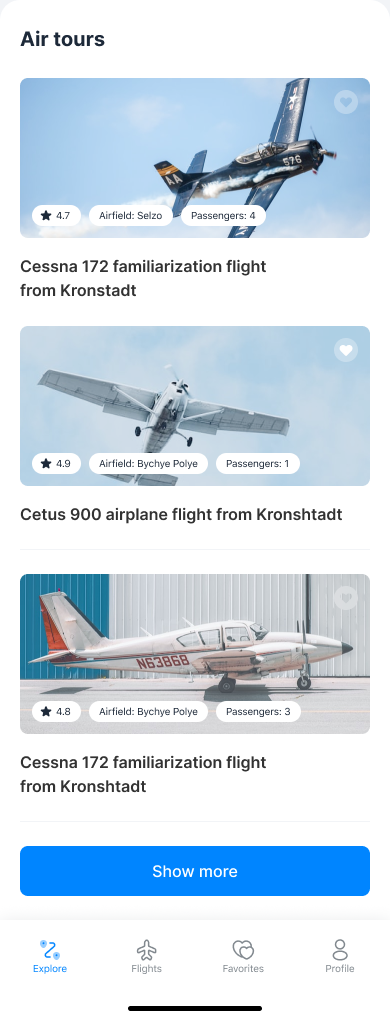
Figma Source
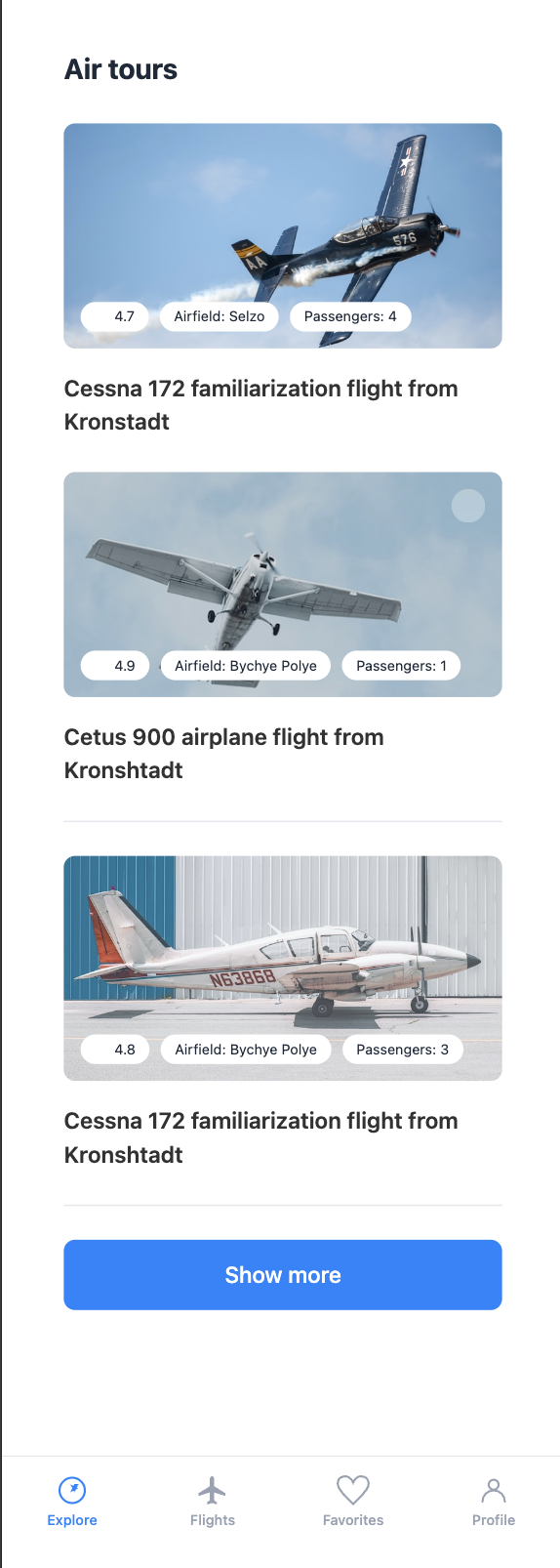
Generated Prototype
Modular by Design
Each phase can also be run individually. The developer stays in control.
From Ticket to PR
With a real ADO or Jira ticket, run the full development pipeline.
With a real ADO or Jira ticket, run the full development pipeline.
/dx-req <id> /dx-plan /dx-step-all /dx-pr