The Three Tools You Need to Know
Day 1 · Week 1 · Meet Your AI Tools
Slack Message — copy & paste
🤖 Tip #1 — You have three AI coding tools, and all three are now full agents. Pick by comfort, not capability.
#1 All Tools
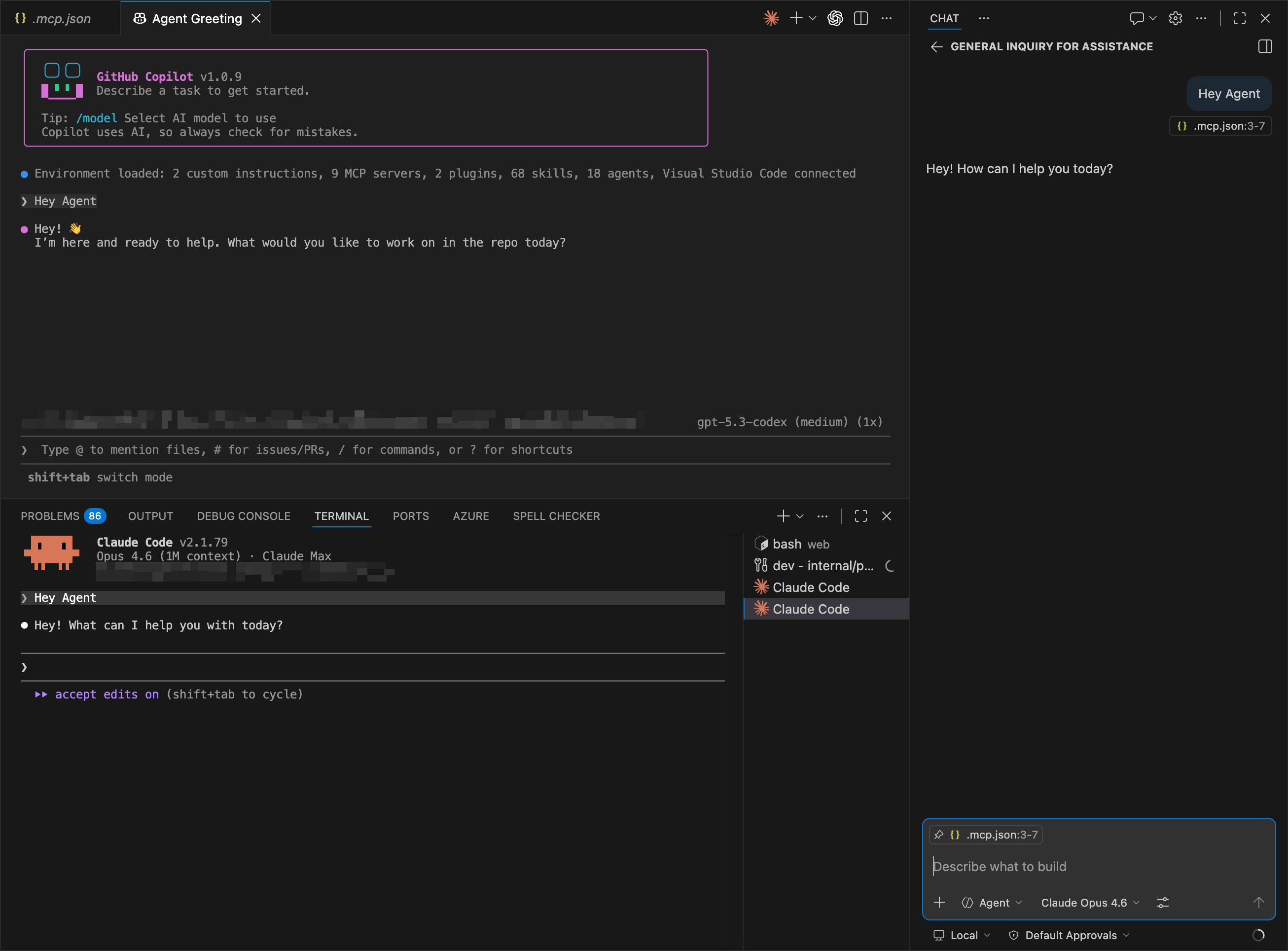
Three Tools, One Ecosystem
- All three are full agentic platforms now — they edit files, run commands, use MCP servers, and follow custom skills. Updates ship almost daily.
- VSCode Chat — best when you're already in the IDE
- › Inline diffs and visual file review
- › Language server diagnostics (errors, references, symbols)
- › Drag & drop files as context
- › Three modes: Agent (autonomous), Plan (think first), Ask (Q&A)
- Copilot CLI — best when you live in the terminal
- › Multi-model support (Claude, GPT, Gemini — switch with /model)
- › /fleet for parallel subagents across files
- › Cloud delegation (prefix with & to offload)
- › Plan mode with Shift+Tab
- Claude Code — best when you need depth
- › 1M token context (8× more than Copilot)
- › Worktree isolation for safe parallel agents
- › Full hook system (18 events)
- › Persistent memory across sessions
VSCode Chat Copilot CLI Claude Code
#1 Meet Your AI Tools
Pick by Comfort, Not Capability
- 1 Same plugins power all three — they're converging fast. The real question isn't 'which is best?' but 'where do you prefer to work?'
- 2 Pick your default based on comfort
- › IDE person → VSCode Chat
- › Terminal person → Copilot CLI
- › Depth person → Claude Code
- 3 Update all three tools today — they ship updates almost daily and you'll miss new capabilities if you're behind
- 4 Quick test — run the same task in each tool (e.g. 'explain this function') and compare the experience. You'll be surprised how similar they've become.
VSCode Chat Copilot CLI Claude Code